

MERGEguard SMS Opt-In Consent Flow
MERGEguard by TLB Cloud · Documentation for Twilio A2P 10DLC compliance
Overview
MERGEguard is a contact deduplication tool for law firms using Clio. SMS messaging is used exclusively for account security. Specifically, multi-factor authentication (MFA) during login and account verification. Users opt in voluntarily during the security setup flow, which is offered (but not required) after account creation.
SMS is never used for marketing, promotions, or any purpose other than account authentication and security verification.
Opt-in flow
Users opt in to receive SMS messages by completing the following steps inside the MERGEguard security setup screen:
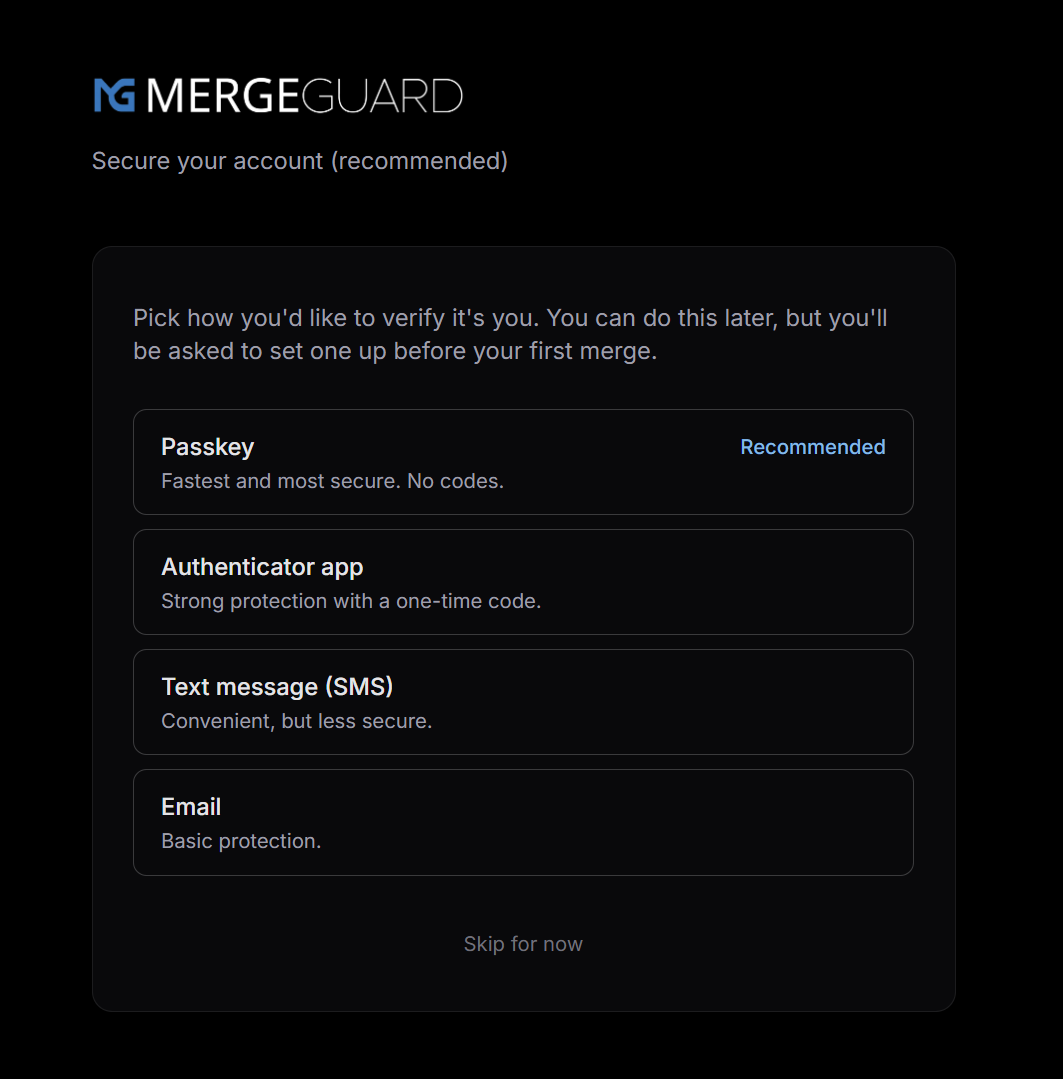
- 1.The user selects "Text message (SMS)" as their preferred MFA method from a list of options (Passkey, Authenticator app, SMS, or Email).
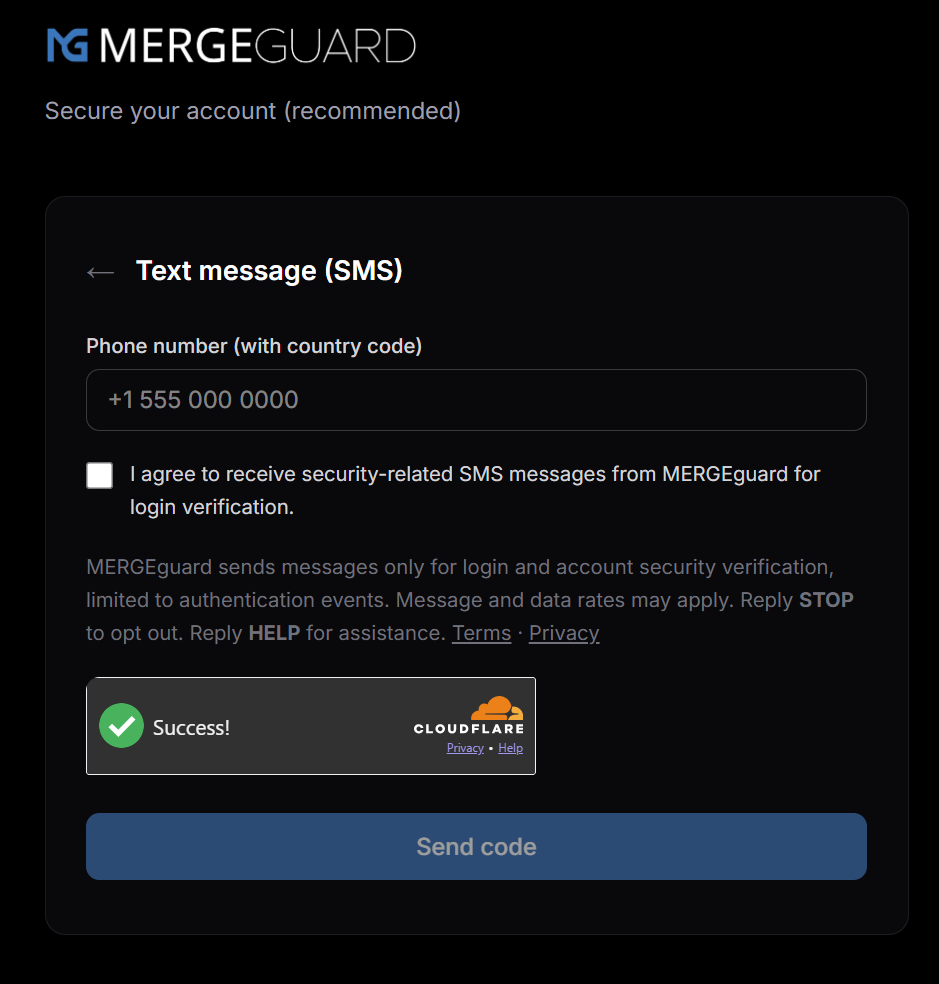
- 2.The user enters their phone number with country code (e.g., +1 555 000 0000).
- 3.The user checks a consent checkbox stating: "I agree to receive security-related SMS messages from MERGEguard for login verification." The "Send code" button is disabled until this checkbox is checked.
- 4.Immediately below the checkbox, the following disclosure is shown: "MERGEguard sends messages only for login and account security verification, limited to authentication events. Message and data rates may apply. Reply STOP to opt out. Reply HELP for assistance." with links to the Terms of Service and Privacy Policy.
- 5.After passing a bot-protection check (Cloudflare Turnstile), the user taps "Send code" to receive a 6-digit verification code via SMS.
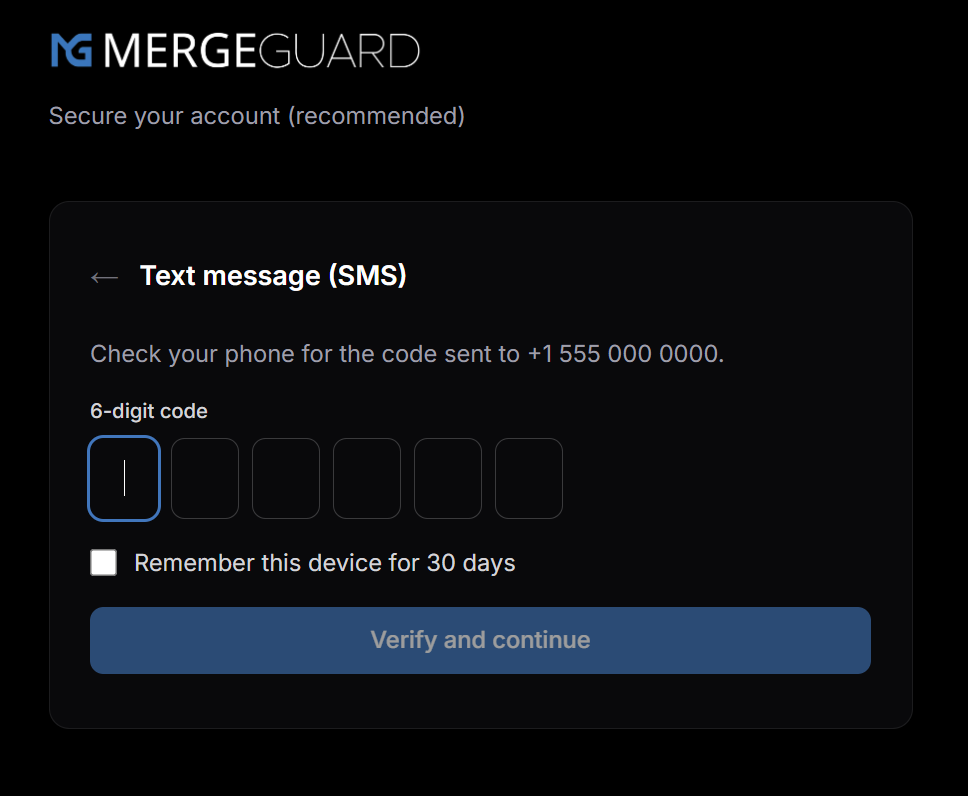
- 6.The user enters the 6-digit code to confirm their phone number. Only after successful verification is SMS MFA activated on the account.
Screenshots
Step 1. MFA method selection
Step 2. Phone number entry with consent checkbox
Step 3. Code verification
Required disclosures
- •Message type: Security-related messages only. One-time codes for login and account verification. No marketing or promotional messages are ever sent.
- •Message frequency: Messages are sent only for authentication events. Frequency varies based on user login activity.
- •Rates: Message and data rates may apply.
- •Opt-out: Reply STOP to unsubscribe from SMS messages at any time.
- •Help: Reply HELP for assistance, or contact us at info@tlbcloud.net.
Policies
Contact
Questions about this consent flow or SMS messaging: info@tlbcloud.net